



E-Commerce Software: Start Selling Online Today

Manage products, stock, orders, virtual POS, campaigns, marketplaces, accounting, shipping and e-invoicing from one panel.

200+
Active online stores
50+
Marketplace and accounting integration
%99
Always-on platform
7/24
Elite Plus support line
  • E-Commerce Platform
  • Concept Design
  • Integrations
  • Marketplace Integration
  • Accounting Integration
  • Shipping Integration
  • E-invoice Integration
  • Training & Consulting
  • Unlimited Products
  • Campaign Tools
  • Virtual POS
  • Stock Management
  • Order Management
  • SEO Management
  • Variant System
  • One Panel
What Is E-Commerce Software?

E-commerce software is the store and management system that lets you sell your products online. It brings together product and stock tracking, the cart, card payments, orders, campaigns and search engine settings. Good software unites all of this with marketplaces, carriers and e-invoice providers in one panel, so you manage sales from a single place.

Aurora E-Commerce

E-Commerce Software

One Panel

Your Entire Online Store in One Panel

You manage your products, stock and orders from a single admin panel, and the same panel covers your stores on eight marketplaces, your shipments and your e-invoice and e-archive workflows. Every integration is built directly into the system; no separate integration program sits in between and you pay no extra subscription. Whatever channel a sale comes from, stock updates automatically and the customer gets an e-mail and SMS automatically; you can do the same tasks from your phone with the mobile management app.

  • Website
  • Trendyol
  • Hepsiburada
  • N11
  • Amazon · Çiçeksepeti · idefix · Pazarama · PttAVM
AURORA E-COMMERCE

Our E-Commerce Solutions

From platform to design, from integrations to training, we bring every layer of online selling together in one package. None of the solutions below is a separately sold module or plugin; they are all included in Aurora Smart E-Commerce.

Features

Aurora Smart E-Commerce Features

Aurora Smart E-Commerce brings everything your online store needs together in one package and one panel, from product entry to payments, from marketplaces to shipping, from e-invoicing to international sales. None of the features below is a separately sold module; under each heading we explain in plain language what that feature does for your store.

137+ features · 20 topics · one panel

01 / 20 · Products and Catalog

Product and Catalog Management in E-Commerce

Easily manage your products, variants and brands in a single catalog.

500products filtered and edited on one page

Product entry is the task that takes the most time in an online store. With Aurora Smart E-Commerce you upload thousands of products at once via Excel, update prices in bulk and edit without leaving the list. As your catalog grows, your workload does not grow at the same rate.

  • Simple, variable and bundle products

    A single product, a product with options or a bundle; prepare it as a draft and publish when it is ready.

  • One-click variants

    Choose the options and every combination is created; each variant gets its own SKU, barcode, price and image.

  • Flexible categories and brands

    One product in several categories, a drag-and-drop category tree and brand pages.

  • Attributes that work as filters

    Color-coded attributes become filters or create variants.

  • Badges, gifts and product sets

    “New” and “Sale” badges, gift products and product sets grow the cart.

  • Quick editing from the list

    Change price, stock and cover image right from the list, and filter 500 products per page.

  • Bulk pricing and campaigns

    Undoable bulk price updates; apply discounts, badges and gifts in bulk.

  • Excel import and export

    Export to Excel with variants and upload back; upload prices by barcode.

  • Barcodes and QR codes

    Barcode generation, duplicate barcode clean-up, bulk labels and a QR code generator.

  • Less manual work
  • Bulk updates
  • A catalog ready to grow
02 / 20 · Prices and Stock

Price and Stock Management: Foreign-Currency Pricing, Real-Time Stock

Your prices update automatically with the exchange rate, and you see a product running low before it sells out.

2 currenciesprice in euros and dollars, TL calculated automatically

A wrong price or selling a product you do not have costs you both profit and customers. In Aurora, the TL price of products priced in foreign currency updates automatically as the exchange rate changes. Stock changes automatically with every sale, cancellation and return, and low-stock alerts reach your phone too.

  • Four-tier pricing

    List price, sale price, scheduled campaign price and purchase price for profitability, all on the same product.

  • Pricing in euros and dollars

    You price the product in euros or dollars; the TL price is calculated and updated automatically from the exchange rate. You set the rounding rule.

  • Separate prices for international visitors

    You can show a different price to visitors from abroad. That makes it easy to reflect shipping and cost differences in your price when exporting online.

  • Stock statuses

    Products appear as in stock, sold out or available for pre-order. For variable products, total stock is calculated automatically from the variant stock.

  • Stock ledger

    The effect of every sale, cancellation and return on stock is recorded, so you can always see the reason for a change.

  • Low-stock alerts

    When stock drops below the level you set, you get an alert in the panel and in the mobile app. You reorder before a best seller runs out.

  • Prices current with exchange rates
  • Error-free stock
  • Alerts before you sell out
03 / 20 · Storefront and Images

Online Storefront: Filters, Search and Gallery

Your customers find the product they want in seconds, look at it up close and add it to the cart with confidence.

7filter types help shoppers find products fast

If visitors cannot find what they are looking for, there is no sale. The Aurora storefront comes with advanced filters, live search that returns results as you type and an on-sale page. A zoomable gallery, video and photo reviews make the decision easier, and because images are converted to a fast-loading format, the store stays fast on mobile too.

  • Advanced filtering and sorting

    Brand, attribute, subcategory, price, on sale, in stock and free shipping filters; sorting by price, discount and A–Z.

  • Live search

    Results appear as you type, and special characters do not matter; someone typing “gomlek” still finds “gömlek” (shirt).

  • Rich product pages

    Gallery, variant selection, similar products, gift options, product sets and a quick-view window.

  • Gallery and video

    A cover image, zoom, lightbox and a video library show the product in every detail.

  • Fast-loading images

    Uploaded images are automatically converted to a fast-loading format and compressed.

  • Wishlist and comparison

    Wishlist items added as a guest move to the account; comparison and “notify me when back in stock” e-mails.

  • Product reviews with photos

    Ratings, photo reviews, “helpful” votes and a “Verified buyer” badge; reviews go through your approval.

  • Product feedback form

    Customers send errors or suggestions about a product through the form.

  • Products found instantly
  • Fast pages on mobile
  • More trust through reviews
Our product photography service
04 / 20 · Cart and Checkout

Virtual POS, Installments and Secure Payments

Your customers pay the way they want, in installments and securely.

13banks for your own virtual POS

Whether a product in the cart turns into a sale depends on payment being easy and trustworthy. In Aurora you take installment payments with 3D Secure verification through PayTR, iyzico or your own virtual POS from one of 13 banks. Incomplete payments are cancelled automatically.

  • PayTR, iyzico and 13 banks

    Your own virtual POS with İş Bankası, Akbank, Ziraat, Garanti BBVA, Yapı Kredi and other banks.

  • Installments and 3D Secure

    Installments on card payments and secure checkout with the bank’s verification step; full or partial refunds from the panel.

  • Bank transfer/EFT and cash on delivery

    Bank transfer discount and receipt notification; surcharge settings for cash on delivery.

  • Smart cart

    Prices update every time the cart is opened; cart notes, a mini cart and a gift wrap option.

  • Coupons, gift cards and points

    Customers use their coupons, gift cards and points in the cart.

  • Guest checkout

    Shopping without registering, with one-click membership after payment; carts are not abandoned because of forced sign-up.

  • Individual and corporate invoices

    Turkish ID or tax number, tax office and a separate billing address are collected.

  • Foreign-currency payments and protection

    Payments in euros, dollars and pounds; stock and coupons are returned on incomplete payments, and double payments are blocked.

  • Fewer abandoned carts
  • Bigger carts with installments
  • Protection against double payments
Explore the e-commerce platform
05 / 20 · Order Management

Order Management: Automatic Status, Stock and Notifications

Orders move forward on their own; you just pack and ship.

7order statuses, each with automatic notifications

As orders grow, the real burden is tracking each one and keeping customers informed. In Aurora, when an order’s status changes, stock, e-mail and SMS update automatically. You process dozens of orders in bulk and answer the customer’s “where is my order?” question with a guest tracking page.

  • Clear order statuses

    Awaiting payment, confirmed, preparing, shipped, completed, cancelled and returned.

  • Automatic stock and notifications

    When the status changes, stock goes down or comes back, the customer gets an e-mail and SMS, and the history is saved. No step is ever forgotten.

  • Bulk order actions

    Change statuses, send e-mails, create shipments and print slips in bulk.

  • Manual order creation

    Create phone orders from the panel and edit addresses.

  • Cancellations and returns from the account

    Customers submit cancellation or return requests from their account.

  • Guest order tracking

    Customers see the step-by-step status and shipping events on the order tracking page. Fewer “where is my order?” questions.

  • Checkout and abandoned carts

    Ring up in-store sales from the admin panel and let stock update automatically. Track abandoned carts and win them back.

  • Contracts that fill themselves in

    Distance sales agreements, pre-contract information and KVKK (Turkish data-protection law) notices are filled in per order, and the customer’s consent time is recorded.

  • Fewer customer questions
  • Save time with bulk actions
  • No forgotten orders
Our integration service
06 / 20 · Shipping & Logistics

Shipping Integration: Yurtiçi, Aras and DHL

Create shipments in the admin panel, print the label and let the system handle tracking and delivery.

4carriers, domestic and international

Shipping is the moment your online store meets the customer face to face. With Aurora’s shipping integration you create Yurtiçi, Aras, DHL eCommerce (MNG) and DHL Express shipments right in the admin panel and print the label. Tracking runs automatically, and delivered orders close themselves.

  • 4 carrier integrations

    Yurtiçi Kargo, Aras Kargo, DHL eCommerce (MNG) and DHL Express in one panel.

  • Shipments and labels from the panel

    Create the shipment and print the label without ever logging in to the carrier’s website. Cancel a wrong shipment from the panel.

  • Automatic shipment tracking

    Shipment events are tracked automatically in the background. Customers see exactly where their parcel is on the tracking page.

  • Flexible shipping rates

    Free, flat, by volumetric weight or live rates from the carrier; volumetric weight is calculated from product dimensions.

  • Free shipping threshold

    Set free shipping for orders above a certain amount and define your own shipping rules. It pushes the average cart value up.

  • Automatic delivery close-out

    Delivered orders switch to “completed” on their own and the customer is notified. No more closing orders one by one.

  • No separate screen for labels
  • Automatic delivery tracking
  • Accurate shipping costs
Explore shipping integration
07 / 20 · E-Invoicing & Tax

e-invoice and e-archive Integration, VAT Management

Issue invoices from the order screen in one click, and the software picks the right document type.

3e-invoice providers, ready to connect

Opening a separate program to invoice every single order becomes one of the biggest time sinks as order volume grows. Aurora’s e-invoice integration (the Turkish e-invoicing system) works with Uyumsoft, EDM Bilişim and Park Entegrasyon. If the buyer is registered for e-invoice, an e-invoice is issued; otherwise an e-Archive invoice is selected automatically, and you issue it from the order screen in one click. VAT is calculated per category, and a second invoice for the same order is blocked.

  • 3 e-invoice providers

    Uyumsoft, EDM Bilişim or Park Entegrasyon: whichever one you work with, your store connects to it.

  • The right document, automatically

    If the buyer is registered for e-invoice, an e-invoice is issued; otherwise e-Archive is selected. You never have to check the document type yourself.

  • One-click invoicing

    Issue the invoice from the order screen in one click. It is stored with the order, so you find it instantly whenever you need it.

  • Duplicate invoice protection

    A second invoice for the same order is blocked. No more cancelling wrong or duplicate invoices.

  • VAT per category

    Assign each product category its own VAT rate; VAT on shipping is calculated separately.

  • Business billing details

    Tax ID, tax office and a separate billing address are collected at checkout, so invoices for business customers are always complete.

  • One-click invoicing
  • The right document type
  • No duplicate invoices
Explore e-invoice integration
08 / 20 · Export & Cross-Border Trade

Cross-Border E-Commerce: Sell Abroad in 27 Languages

Enter your content once in Turkish and open your online store to the world in 27 languages.

27languages, translated automatically

For most businesses, selling abroad means a separate site, translations and complex shipping math, so it keeps getting postponed. With Aurora you enter your products and pages in Turkish only; your store is translated automatically into 27 languages and visitors are greeted in their own language based on their country. Prices are shown in foreign currencies using Central Bank of the Republic of Türkiye rates, and payments are accepted in those currencies. You enable delivery to EU countries and Northern Cyprus and send customs-declared shipments via DHL Express with built-in duty calculation.

  • Automatic translation in 27 languages

    Enter content in Turkish only and the store is translated into 27 languages. Fine-tune any translation yourself when needed.

  • Automatic language by country

    Visitors are greeted in their own language based on their country. International customers feel right at home in your store.

  • Multi-currency

    Prices are converted automatically at Central Bank rates. Customers see prices in their own currency and pay in it.

  • EU countries and Northern Cyprus

    Choose your delivery countries and set shipping rates and free shipping thresholds per country.

  • Customs duty calculation

    Duties are calculated for international orders. Customers face no surprises, and you reduce the risk of returns.

  • Shipping with DHL Express

    Create customs-declared international shipments with DHL Express right from the panel.

  • No separate site needed
  • Prices in their own currency
  • No surprises at customs
09 / 20 · Promotions & Marketing

E-Commerce Promotions, Coupons and Loyalty System

Set up sales-boosting promotions yourself, no developer required.

Bronze → Platinumtiered affiliate and influencer program

A well-designed promotion brings in new customers and wins back past ones. With Aurora’s promotion engine you set up discounts, “buy X, pay for Y” deals and coupon rules from the panel in minutes. Loyalty points, gift cards and an affiliate program keep sales coming in steadily.

  • Flexible promotion rules

    Discounts by cart value, “buy X, pay for Y”, and product, category or brand discounts. Add shipping perks and per-customer usage limits.

  • Coupons and first-order deals

    Win new customers with coupon codes and first-order discounts.

  • Gift cards

    Fixed amount or percentage, with a running balance or personalized for one customer.

  • Points and tiered membership

    Customers earn points when they shop and redeem them at checkout. Tiered membership and perks drive repeat purchases.

  • Automatic birthday coupons

    Birthday coupons and greeting emails go out automatically. New members receive a welcome coupon.

  • Pop-ups and homepage blocks

    Set the pages, frequency and delay of your pop-ups, and manage banners, sliders, stories and bestseller blocks.

  • Affiliates and influencers

    Tiered partners from Bronze to Platinum with tracking links and commission rules. Commission is earned once the return period has passed.

  • Promotions without a developer
  • Returning customers
  • New sales channels
Landing page design
10 / 20 · Advertising & Analytics

Google and Meta Ads, Sales Tracking

See clearly which sales your ad budget turns into, and stop wasted spend.

10analytics and ad tools, ready to connect

The biggest problem for stores that advertise is not knowing which ads actually drive sales. In Aurora, Google Shopping ads managed with GoFly count only paid orders as sales and protect your budget. The Meta catalog and price comparison feeds show your products in more places.

  • Google Ads with GoFly

    Run Google Shopping ads within your budget and send your products to Google. Each product gets an ad-readiness score and smart suggestions.

  • Profit and ROAS

    Profitability and return on ad spend are calculated, and only paid orders count as sales. Budget protection prevents overspending.

  • Meta (Facebook, Instagram)

    Product catalog sync, conversion tracking without double counting, ad reports, budget and health checks.

  • Price comparison sites

    Product feeds for Akakçe, Cimri and Google Shopping are generated automatically, so your products show up in comparisons.

  • 10 analytics tools

    Connect Google, TikTok, Pinterest, Yandex, Microsoft Clarity, Hotjar and Microsoft Ads from the panel.

  • Live tag check

    See in the panel which tracking tags are actually firing. No more wrong decisions based on missing data.

  • Site verification

    Complete Google, Bing, Yandex, Pinterest and Facebook verification right from the panel.

  • Ads that measure real sales
  • A protected budget
  • More visibility
Our digital marketing service
11 / 20 · Marketplace Integrations

Marketplace Integration: 8 Marketplaces in One Panel

Manage your stores on eight marketplaces from one panel, without ever selling at a loss.

8marketplaces from one panel

Logging in to every marketplace separately to update stock and prices wears down growth. With Aurora’s marketplace integration you manage your stores on eight marketplaces, including Turkish leaders like Trendyol and Hepsiburada, from a single panel. Thanks to the minimum profit margin, no product that would sell below cost ever goes live.

  • 8 marketplaces

    Trendyol, Hepsiburada, N11, Amazon, Çiçeksepeti, idefix, Pazarama and PttAVM in one panel.

  • Product, price and stock sync

    Enter a product once and publish it to every marketplace; stock updates everywhere.

  • Marketplace-specific pricing

    Use a separate pricing rule for each marketplace to pass commission differences into your price.

  • Minimum profit margin

    Products that would fall below your margin are never listed. You never sell at a loss, not even during campaigns.

  • All orders in one list

    Marketplace orders land in your panel; status and shipping details are sent back to the marketplace.

  • Category and attribute mapping

    Map your categories, brands and attributes to each marketplace’s structure, so your products are listed in the right place.

  • Error center and full sync

    See failed products and the reasons on a single screen. Full sync aligns every channel in one go.

  • One panel, one stock
  • No selling at a loss
  • No manual re-entry
Explore marketplace integration
12 / 20 · ERP / POS Integration

DionPOS Integration: Store and Website on One Stock

Your shop and your online store run on the same stock and prices, synced every minute.

1 minautomatic stock and price sync interval

For businesses with both a physical store and an e-commerce site, the most common problem is a product sold in the shop still showing as in stock online. If you use DionPOS in your store (DionPOS is a separate POS/ERP program), it connects to your Aurora panel and stock and prices sync automatically every minute. Online orders are transferred to the POS, and order status changes in the POS are reflected on the site. A catalog audit report also shows missing or mismatched products between the two sides.

  • Sync every minute

    Stock and prices sync automatically between DionPOS and your site every minute. Products you don’t have are never sold online.

  • Orders flow into the POS

    Online orders drop into DionPOS automatically. Your store team sees each order on their own screen.

  • Status flows back to the site

    Order status changes in the POS are reflected on the site, so customers always see accurate information.

  • Catalog audit report

    A report shows missing or mismatched products on either side, so you can fix them fast.

  • In-store sales from the panel

    Not using DionPOS? Ring up in-store sales from the panel and let stock update automatically.

  • Excel import and export

    Bulk-upload prices via Excel by SKU or barcode, and export your products.

  • Shop and website on one stock
  • No double selling
  • No manual syncing
Explore accounting integration
13 / 20 · Customer Relations & Messaging

Customer Messaging: SMS, WhatsApp and Email

Reach your customers on the right channel, the way they agreed to, at exactly the right time.

4contact channels, each with its own consent

Customers who hear nothing after ordering get anxious; customers who stay informed come back. In Aurora, email, SMS via NetGSM and WhatsApp Business notifications go out automatically based on order status. Consent is collected channel by channel, and SMS messages are sent in compliance with İYS (the Turkish commercial messaging registry).

  • Individual and business customers

    Individual and business customers, addresses and filters; view a customer’s account for support.

  • Separate contact consents

    Phone, email, SMS and WhatsApp consents are collected separately. You only send campaigns to customers who opted in.

  • Automatic SMS with NetGSM

    SMS messages tied to order status go out automatically; İYS-compliant, with quiet hours and a daily limit.

  • WhatsApp Business

    Order received, shipped and delivered notifications go out via WhatsApp. Your site includes a WhatsApp support button.

  • Mailchimp and newsletters

    Sync your subscribers to Mailchimp and recover unfinished sales with abandoned-cart emails.

  • Editable emails

    An email template for every order status; email accounts on your store’s own domain.

  • Contact form and messages

    A spam-protected form, contact details for multiple branches and an inbox you can reply from inside the panel.

  • Informed customers
  • Recovered carts
  • Permission-based messaging
14 / 20 · Content & SEO

E-Commerce SEO: Get Found on Google and in AI Search

Your products are easier to find on Google and in AI search tools like ChatGPT.

11-rule product SEO score and Google preview

Visitors from ads stop when the budget runs out; visitors from Google keep coming every day. In Aurora’s SEO center, titles and descriptions fill in automatically from templates, and you see an SEO score for every product. Your store is also prepared for AI search engines like ChatGPT and Gemini.

  • Title and description templates

    Google titles and descriptions for product, category and brand pages are generated automatically from templates.

  • Product SEO score and preview

    See each product’s SEO score and how it will look in Google results. Fill in anything missing right away.

  • Redirects when URLs change

    When a category URL changes, the old address redirects to the new page automatically. Your Google rankings are preserved.

  • Rich results in search

    Price, rating, shipping and return details are prepared for display in search results, so your products stand out.

  • Multilingual sitemap

    A multilingual sitemap with images is generated automatically, and new pages are submitted to search engines instantly.

  • Ready for AI search

    Your store is structured so AI assistants like ChatGPT and Gemini can read it.

  • Blog, pages and mega menu

    Blog, page management and a 3-level drag-and-drop mega menu; FAQ sections can be added.

  • SEO health report

    See your store’s SEO gaps in a report and fix them.

  • Traffic without ads
  • Protected rankings
  • A place in AI answers
SEO-friendly web design
15 / 20 · Artificial Intelligence

AI-Powered Product Descriptions and SEO Content

Cut hours of content and analysis work down to minutes.

3content types: title, description and FAQ

Writing descriptions, titles and FAQs one by one for hundreds of products takes a small team weeks. Aurora’s AI tools generate product descriptions, Google titles, meta descriptions and FAQ content, one at a time or in bulk. Competitor price analysis shows where your prices stand in the market. Ad assistants make suggestions but never apply anything without your approval, and every change can be undone.

  • Product description writing

    AI drafts description copy from your product data; you edit it and publish.

  • Bulk SEO content

    Titles, descriptions and FAQ content are generated one by one or in bulk for hundreds of products.

  • Competitor price analysis

    See your competitors’ prices and understand where your own pricing stands in the market.

  • Ad-readiness score

    Each product gets a score for how ready it is for Google Ads, plus smart suggestions.

  • Approval-based ad assistant

    The assistant suggests and applies changes only with your approval. Every change can be undone, so you stay in control.

  • Single or bulk generation

    Generate content for a single new product or for your entire catalog in one go.

  • A week’s work in minutes
  • Data-driven pricing
  • You are always in control
Our SEO & analytics service
16 / 20 · Design

Custom E-Commerce Design for Your Brand

Your store launches with a design that belongs only to you, and you manage its settings yourself in the panel.

0ready-made themes: every design is custom

Aurora has no ready-made themes. Every e-commerce site is designed from scratch through our Concept Design service, around your company and your product portfolio. Your products never look the same as your competitors’, and your store carries your brand’s character. After launch, you manage settings such as the logo, fonts, menu, footer, product grid and homepage blocks yourself in the panel.

  • No ready-made themes

    Every store design is created uniquely for the company and its product portfolio; it never looks like any other store.

  • Logo and fonts

    Change your logo and fonts from the panel, and your brand look stays consistent on every page.

  • Top bar, menu and footer

    Edit the announcement bar, menu and footer yourself.

  • Product grid and filter panel

    Adjust the look of the product listing and filter panel from the admin panel.

  • Floating buttons

    Add floating buttons such as a WhatsApp support button and customize how they look.

  • Homepage blocks

    Add and arrange banner, slider, stories, bestseller and new-arrival blocks.

  • Maintenance and “Coming Soon” mode

    Show a “Coming soon” page while your store is being prepared, and maintenance mode during updates.

  • A store unlike your competitors’
  • No dependence on a designer
  • A consistent brand look
Explore concept design
17 / 20 · KVKK & Security

KVKK/GDPR-Compliant Cookie Consent and Store Security

Keep customer data and your store safe, and be ready for your legal obligations.

14sections with granular roles and permissions

In e-commerce, security means protecting both your customers’ data and your business. With Aurora’s KVKK (Turkish data-protection law) and GDPR-compliant cookie consent system, no tracking tags run until the visitor consents, consents are logged and the cookie policy is generated automatically. Two-factor authentication at panel login, a granular permission system across 14 sections and attack protection keep your store safe. Your integration credentials are stored encrypted.

  • KVKK and GDPR cookie consent

    No tracking tags run without visitor consent. The same system works for customers in Türkiye and the EU.

  • Logged consents

    Cookie consents are logged and the cookie policy is generated automatically. You can show proof of consent when asked.

  • Two-factor authentication

    Panel login requires verification in addition to the password. Even if a password is stolen, no one can get into your panel.

  • Permissions across 14 sections

    Give each employee access only to the sections their job requires. Your warehouse team never sees the finance report.

  • Attack and spam protection

    Your store and forms are protected against attacks and spam sign-ups.

  • Encrypted integration credentials

    Your bank, marketplace and carrier connection details are stored encrypted.

  • A KVKK-ready store
  • A protected panel
  • The right access for the right people
18 / 20 · Reports & Dashboard

E-Commerce Reports and Sales Dashboard

See how your store is doing at a glance and make decisions based on data.

10ready-made reports, from 7 days to 1 year

Growing without knowing which products are profitable, which channels sell and where customers drop off is pure guesswork. On Aurora’s dashboard you compare daily and monthly revenue against previous periods and see average order value, the order funnel and sales by traffic source. 10 separate reports cover your entire store, from sales and stock to customers and finance broken down by VAT. Review reports from 7 days to 1 year, or for any date range you choose.

  • Revenue and period comparison

    Daily and monthly revenue, comparison with previous periods and a 30-day chart, right on the first screen.

  • Average order value and funnel

    See average order value and the order funnel, and understand where customers drop off.

  • Sales by traffic source

    See which traffic sources bring buyers and steer your budget to the right channel.

  • Peak times and pending tasks

    Track hourly and weekly peaks, pending orders and tasks on a single screen.

  • 10 ready-made reports

    Overview, sales, orders, product performance, category and brand, stock, customers, finance, conversion and cart, and returns and cancellations.

  • Finance broken down by VAT

    The finance report includes a breakdown by VAT rate, making it easy to share with your accountant.

  • Flexible date ranges

    Review reports with preset ranges from 7 days to 1 year, or pick a custom date range.

  • Data-driven decisions
  • Spot profitable products
  • Status at a glance
19 / 20 · Mobile Admin App

Manage Your E-Commerce Store with a Mobile App

Run your online store from your phone, without sitting at a computer.

4push notifications: orders, payments, cancellations, stock

In small and mid-sized stores, the owner is rarely at a desk; they are in the warehouse, in the shop or on the road. With Aurora’s mobile admin app you view orders on your phone, change their status and enter tracking numbers. You also update product prices, stock and availability on the spot. You get instant notifications for new orders, payments, cancellations and low stock; the app pairs via QR code and is protected by two-factor authentication.

  • Order management on your phone

    View orders, change their status and enter tracking numbers. Customer notifications go out automatically.

  • Price and stock updates

    Update product prices and stock right in the warehouse, standing at the shelf.

  • Turn products on or off

    Take sold-out products offline or put new arrivals on sale from your phone.

  • 4 types of push notifications

    New order, payment, cancellation and low-stock alerts arrive on your phone instantly.

  • QR code pairing

    The app connects securely to your panel via QR code, without typing a password.

  • Two-factor authentication

    Even if your phone is lost, no one can access your store without additional verification.

  • Manage from anywhere
  • No missed orders
  • Secure pairing
Training & consulting
20 / 20 · Infrastructure

Secure E-Commerce Infrastructure and Automatic Backups

Backups and routine tasks run on their own, so you can focus purely on selling.

24/7Elite Plus support and daily automatic backups

Behind every e-commerce site, dozens of tasks repeat every day: taking backups, tracking shipments, syncing with marketplaces, sending birthday coupons. In Aurora these jobs run automatically in the background. Your store is backed up to Google Drive every day, automatically and encrypted, and cache management keeps pages loading fast. If you are coming from WordPress / WooCommerce, we migrate your customer, order and coupon data so you never have to start from scratch.

  • Daily encrypted backups

    Your store is backed up to Google Drive every day, automatically and encrypted. Your data stays safe.

  • Cache management

    Cached pages load fast, so your store never slows down, even on busy campaign days.

  • Background jobs

    Shipment tracking, marketplace sync and birthday coupons run on their own, with no effort on your part.

  • Migration from WooCommerce

    Customer, order and coupon data from your WordPress / WooCommerce store is migrated to Aurora.

  • 99% uptime target

    The infrastructure is operated with an uninterrupted-service target, so your store stays open for business.

  • 24/7 Elite Plus support

    Whenever you run into a problem, you can reach our support line at any hour of the day.

  • Data that never gets lost
  • Routines that run themselves
  • Easy migration
Speed & performance optimization
Order Journey

One Order Through the Panel: From Cart to Delivery

The value of integrations is best seen in the journey of a single order. None of the six steps below requires manual data entry.

  1. 01The order is placed

    The customer orders from your website or from your marketplace stores such as Trendyol, Hepsiburada or Amazon. Whatever the channel, the order appears in the same panel, in the same list.

  2. 02Payment is collected

    The customer pays by card through PayTR, iyzico or your own bank’s virtual POS, with installments and 3D Secure verification, or chooses bank transfer or cash on delivery. Incomplete payments are cancelled automatically, and stock and coupons are restored.

  3. 03Stock drops everywhere

    Stock for the sold product drops automatically on your website, on every connected marketplace and in DionPOS if you use it. So an item you no longer have is never sold on another channel.

  4. 04The invoice is issued

    Depending on the buyer’s status, an e-invoice or e-Archive invoice (Turkish e-invoice formats) is created via Uyumsoft, EDM Bilişim or Park Entegrasyon. The invoice is stored with the order.

  5. 05The parcel ships

    A Yurtiçi, Aras, DHL eCommerce (MNG) or DHL Express shipment is created in the panel and the label is printed. The customer receives tracking details by email, SMS or WhatsApp.

  6. 06Delivery and reporting

    Once the parcel is delivered, the order completes itself. Sales, revenue and finance data broken down by VAT appear in your reports at the same moment.

Integrations

Ready-Made Connections to the Companies You Work With

Your store connects directly to the bank you get paid through, the marketplaces you sell on, your carrier, your e-invoice provider and your ad accounts. These connections run inside the system itself, not through third-party integration middleware: you don’t subscribe to separate software, you get no data drift between two programs, and when something goes wrong you deal with a single point of contact. All of these integrations are included in the package. DionPOS in the list is a separate POS/ERP program; if you use it in your store, it connects to your Aurora panel.

46 ready-made connections · one place instead of separate panels

Payments
  • PayTR
  • iyzico
  • İş Bankası
  • Akbank
  • Ziraat Bankası
  • Halkbank
  • QNB Finansbank
  • Denizbank
  • Kuveyt Türk
  • Anadolubank
  • ING
  • TEB
  • Garanti BBVA
  • Yapı Kredi
  • VakıfBank
Marketplace
  • Trendyol
  • Hepsiburada
  • N11
  • Amazon
  • Çiçeksepeti
  • idefix
  • Pazarama
  • PttAVM
Shipping
  • Yurtiçi Kargo
  • Aras Kargo
  • DHL eCommerce (MNG)
  • DHL Express
e-invoice
  • Uyumsoft
  • EDM Bilişim
  • Park Entegrasyon
Advertising and Analytics
  • Google
  • GoFly
  • Meta
  • TikTok
  • Pinterest
  • Yandex
  • Microsoft Clarity
  • Hotjar
  • Microsoft Ads
Price Comparison
  • Akakçe
  • Cimri
  • Google Shopping
Contact
  • NetGSM
  • WhatsApp Business
  • Mailchimp
ERP / POS · separate license
  • DionPOS
Live Stores

E-commerce brands selling with Aurora

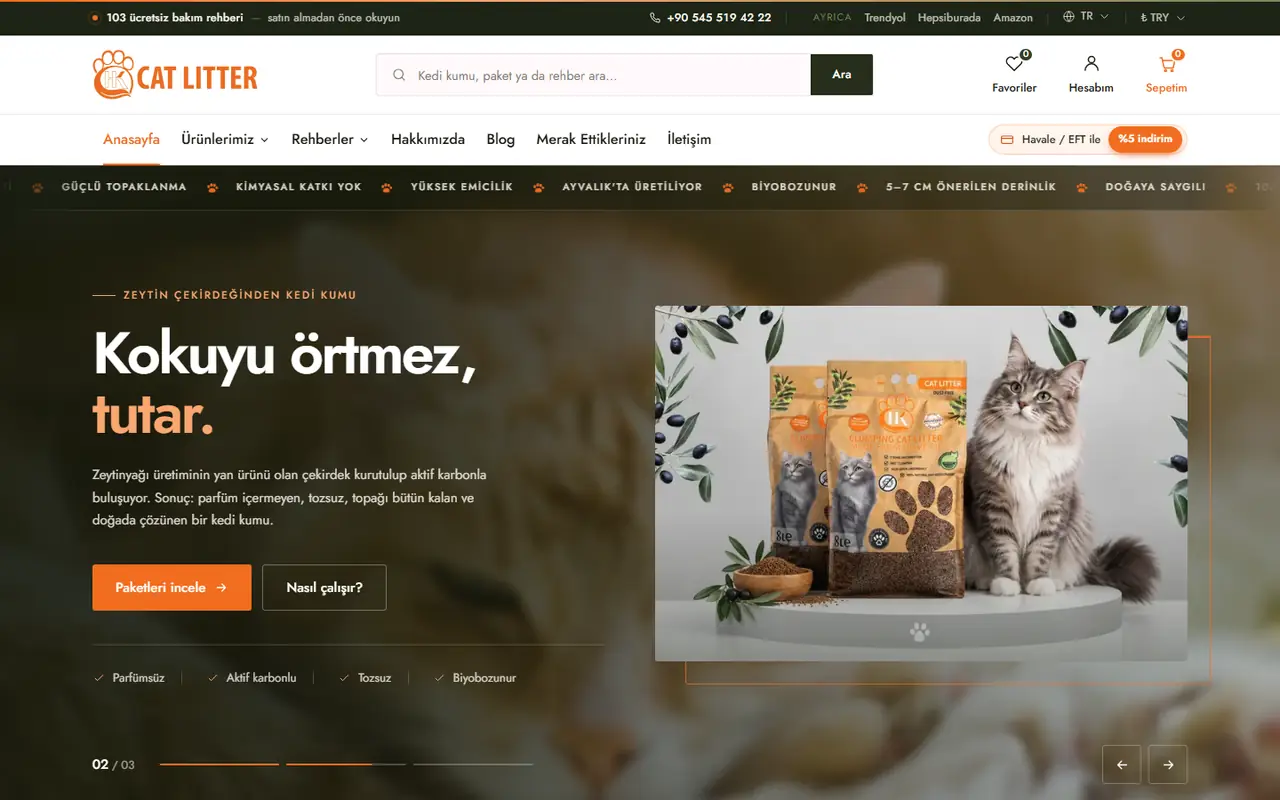
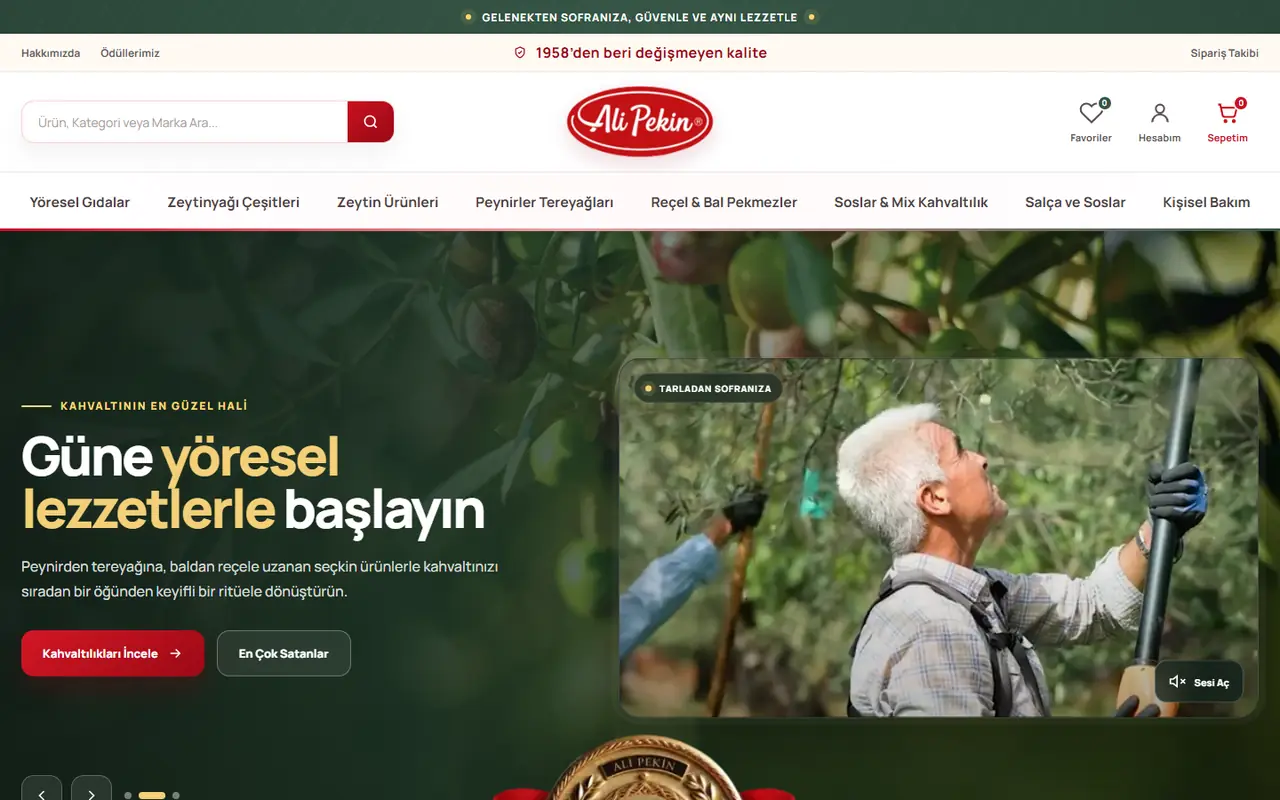
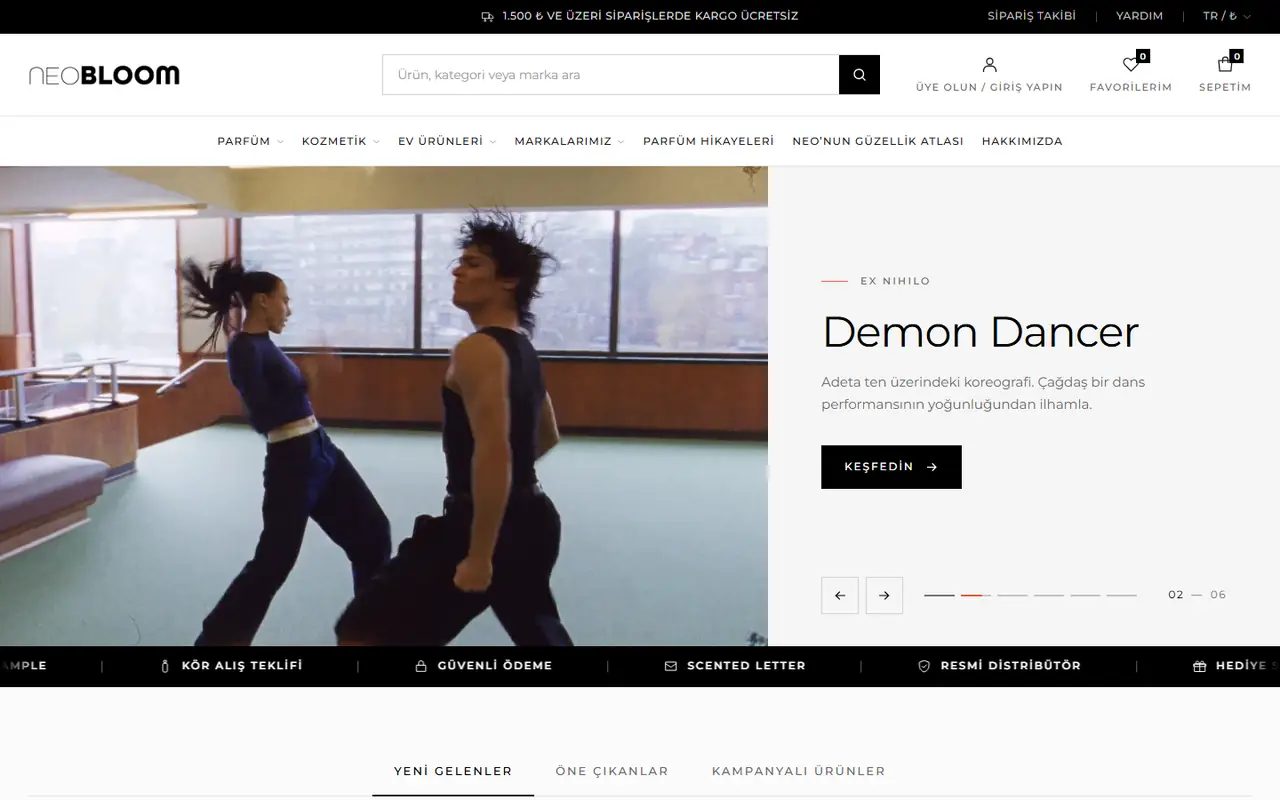
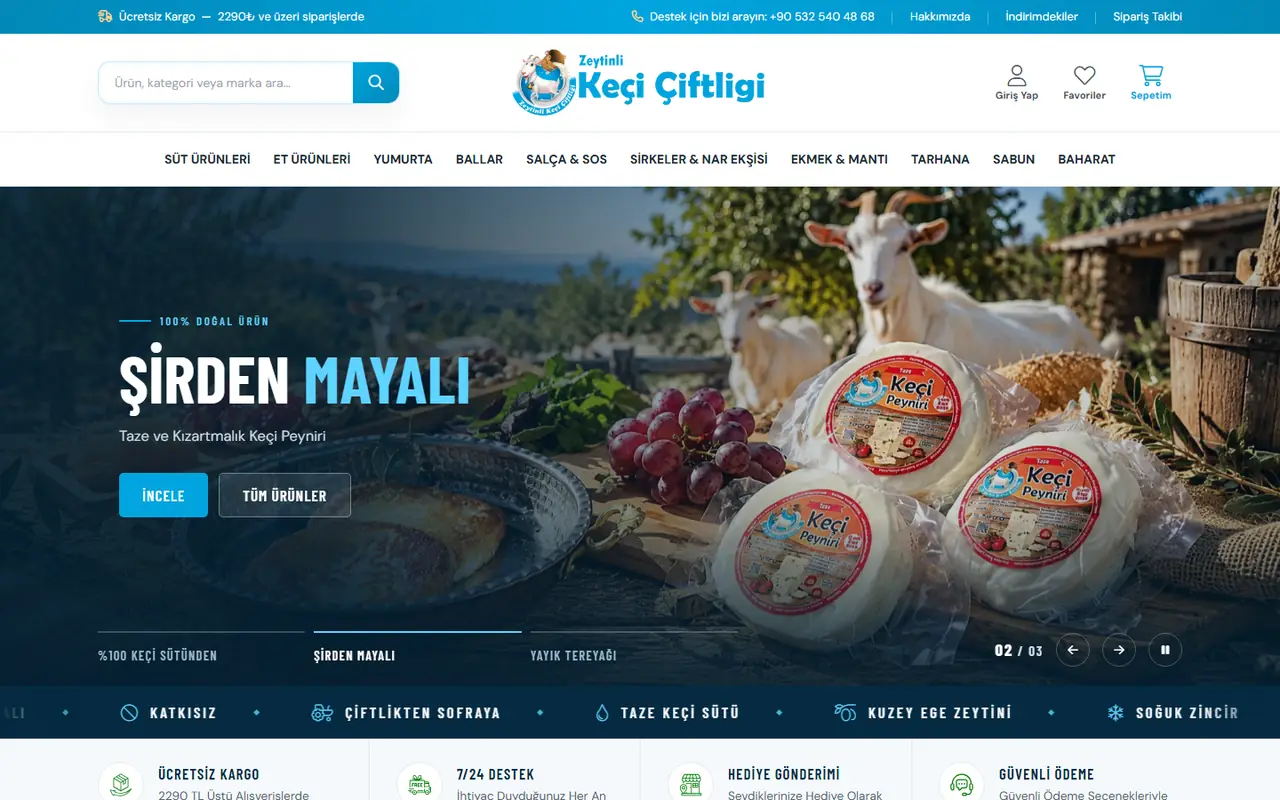
From olive oil to marine equipment, from perfume to cat litter: stores from many different industries. See our portfolio for the full list.

  • misirlimarin.com e-commerce site homepagemisirlimarin.comMarine e-commerce
  • catlitterhk.com e-commerce site homepagecatlitterhk.comCat litter e-commerce
  • alipekin.com e-commerce site homepagealipekin.comOlive farming e-commerce
  • halilesen.com e-commerce site homepagehalilesen.comOlive oil e-commerce
  • neo-bloom.com e-commerce site homepageneo-bloom.comLuxury perfume & cosmetics
  • zeytinlikeciciftligi.com e-commerce site homepagezeytinlikeciciftligi.comFarm products e-commerce
Comparison

Selling on Marketplaces or on Your Own E-Commerce Site?

Both models have strengths and weaknesses. The table shows which points to weigh as you make your decision.

CriterionSelling on marketplacesYour own e-commerce siteBoth together (one Aurora panel)
TrafficThe platform’s existing audience; the first sale comes fasterYou bring in visitors yourself through SEO, ads and social mediaMarketplaces deliver quick sales while your site builds up Google traffic over time
Cost per saleA commission is deducted from every saleNo commission; there are payment and marketing costsMarketplace-specific pricing and a minimum profit margin keep you from selling at a loss
Customer relationshipCustomer communication largely stays within the platform’s rulesThe customer list and marketing consents belong to youOver time, you can win marketplace customers over to your own site
Brand experienceYour product sits in the same list, with the same look, as your competitors’A custom design and product storytelling that are entirely yoursYou are present on marketplaces and tell your brand story on your site
Promotion controlYou have to follow the platform’s campaign calendar and competitionYou set your own coupon, gift card and loyalty point rulesYou manage channel-specific promotions from one panel
Stock and ordersEvery platform has its own separate panelOne panel, one stockOrders from eight marketplaces and your site in one list, with stock synced automatically
IntegrationsCombining multiple platforms usually requires separate integration softwareDepends on the platform; many solutions need extra plugins or middlewareAll integrations are built into the system; no middleware and no extra fees
Dependency riskRule or commission changes hit your sales directlyYou are independent, on your own domain and platformLess dependence on a single channel, with risk spread out
Setup Process

How Does the E-Commerce Site Setup Process Work?

Every step ends with a concrete deliverable for your approval, so you always know exactly what stage your store is at.

Frequently Asked Questions

E-Commerce Software: Frequently Asked Questions

Send us any questions specific to your store, and we will answer based on your needs.

Contact Us
01What do I need to set up an e-commerce site?

The basic requirements are a company or sole proprietorship, a domain name, product information and images, a virtual POS agreement with PayTR, iyzico or your bank for payments, and a shipping agreement. Distance sales, pre-contract information and KVKK texts are edited from ready-made fields in our panel. We list together what you need at each step during the needs analysis.

02Is the design custom, or do you use ready-made themes?

It is fully custom. We don’t use ready-made themes; every store is designed uniquely around your company and product portfolio. After launch, you manage design settings such as the logo, fonts, menu, homepage blocks and product grid yourself in the panel.

03Which payment methods are available?

You accept card payments, with installments and 3D Secure verification, through PayTR and iyzico or your virtual POS with İş Bankası, Akbank, Ziraat, Halkbank, QNB Finansbank, Denizbank, Kuveyt Türk, Anadolubank, ING, TEB, Garanti BBVA, Yapı Kredi or VakıfBank. Bank transfer and cash on delivery can also be offered, and you can issue full or partial refunds from the panel.

04Which carriers do you work with?

We have integrations with Yurtiçi Kargo, Aras Kargo, DHL eCommerce (MNG) and, for international shipments, DHL Express. You create the shipment in the panel and print the label; tracking and delivery notifications are automatic.

05Which marketplaces can I connect to?

Trendyol, Hepsiburada, N11, Amazon, Çiçeksepeti, idefix, Pazarama and PttAVM. Products, prices and stock are pushed from one panel and orders land in your panel; with the minimum profit margin rule, no product that would sell below cost is ever listed.

06How do e-invoicing and accounting work?

Invoices are issued via Uyumsoft, EDM Bilişim or Park Entegrasyon; if the buyer is registered for e-invoice (the Turkish e-invoicing system), an e-invoice is selected automatically, otherwise an e-Archive invoice. VAT is calculated per category, and the finance report comes broken down by VAT. See our e-invoice integration and accounting integration pages for details.

07Can I sell abroad?

Yes. You enter content in Turkish, your store is translated automatically into 27 languages, and visitors are greeted in their own language based on their country. Prices are shown in foreign currencies at Central Bank rates, and payments are accepted in euros, dollars and pounds sterling. You can enable delivery to EU countries and Northern Cyprus and send customs-declared shipments with duty calculation via DHL Express.

08Is there a mobile admin app?

Yes. With the mobile admin app you view orders on your phone, change their status, enter tracking numbers and update prices and stock. You get push notifications for new orders, payments, cancellations and low stock; the app pairs via QR code and is protected by two-factor authentication.

09Can I migrate from WooCommerce?

Yes. We migrate the customer, order and coupon data from your WordPress / WooCommerce store to Aurora. You can also bulk-import your products, including variants, via Excel; images are downloaded automatically from their links.

10Do integrations require a separate program or extra fees?

No. All payment, marketplace, shipping, e-invoice, advertising and messaging integrations are built directly into the system; you don’t need to subscribe to any integration middleware. Aurora Smart E-Commerce is one single package: these integrations, the features, design, training and 24/7 support are all included, with no hidden costs. DionPOS is a separate POS/ERP program used in physical stores; its license is purchased from DionPOS, and you can talk to us about setting up the connection.

11How long does it take to set up an e-commerce site?

It depends on your number of products, whether your product information and images are ready, and how quickly designs are approved. The biggest source of delays is usually late product information and images. After our first meeting, we share a timeline with dates for each stage.

12Do you provide support after launch?

Yes. Our stores can reach us through the 24/7 Elite Plus support line, the infrastructure runs with a 99% uptime target and is backed up automatically every day. At handover we also train your team on the panel; to schedule a first call, reach us through our contact page.

Aurora E-Commerce

Let’s Get Started

Let’s bring your project to life together. Our expert team is here for you.