Opening a Cafe: A Digital Readiness Checklist
We list, in order, the menu, payment, map and social media setup a new cafe needs in place before it opens its doors.
 Aurora YazılımEditorial team
6 min read
Aurora YazılımEditorial team
6 min read
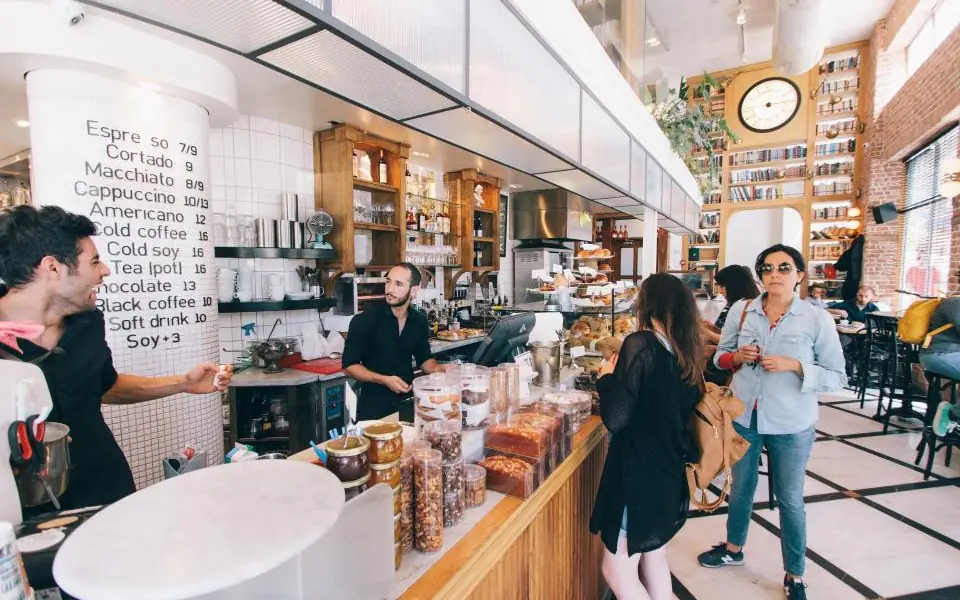
Anyone who wants to open a cafe should prepare, at least a few weeks before launch, their brand identity, Google Business Profile, QR code menu, order management and payment setup, social media accounts and a simple web page. This setup lets guests find you on day one, read the menu easily and pay quickly.
Why Does the Digital Side Matter Before Opening a Cafe?
When people think about opening a cafe, the coffee machine, the decor and the rent come to mind first. Yet a significant share of guests look you up on their phones before they ever reach your door: they check your location on the map, your photos, your menu and your reviews. Digital preparation decides the difference between empty tables and full tables on opening day.
The second reason is operations. If it is not clear before launch how the menu will be updated, how orders will reach the kitchen and how payment will be taken, the first weeks pass in chaos. If you follow this list of things you need to open a cafe in order, you will be both visible and ready on the day you open.
1. Brand Identity and Name Check
Everything starts with the name. Check whether the cafe name you chose is available on Instagram, as a domain and on Google Maps; if a similar-named business exists in the same city, confusion is unavoidable. For legal steps such as trademark registration, it is best to consult a trademark attorney.
Once the name is settled, the logo, color palette, typeface and signage language should be defined within a single framework. A consistent brand identity gives the same feeling everywhere, from the cup print to the colors of the QR menu. Getting brand management support to build this framework costs less than fixing things later.
- Name availability on Instagram, TikTok and as a domain
- The logo and its one-color, small-size versions
- Color palette and two typefaces
- A short brand line: one sentence that describes your cafe
2. Google Business Profile and Maps
For a new cafe, the channel that brings in the most guests is often Google Maps. For someone searching “cafe near me”, if you have no profile, you do not exist. Create and verify your Google Business Profile before opening; since the verification method can vary by business, do not leave this to the last week.
The profile should have the right category, a clear address, opening hours, phone number and a menu link. You can use the feature that lets you set an opening date, so the profile becomes visible before you open. For detailed settings, our restaurant Google Business Profile guide walks you through step by step.
- The most accurate main category, such as “Cafe” or “Coffee shop”
- Photos of the interior, exterior, products and team
- Real opening hours and holiday days
- Menu and website link
3. QR Code Menu and Menu Structure
At launch the menu changes often: prices settle, some items are dropped, new ones are added. If you start with a printed menu, every change means reprinting. With a QR code menu you update prices, products and photos instantly from a panel, and you can switch an out-of-stock item off without deleting it.
Menu structure matters at least as much as the software. Keep the number of categories low, put your most profitable products near the top and write a short, appetizing description for each. Aurora's QR menu system offers multiple languages, multiple currencies, allergen information and a campaign module in the same panel; the menu look is also custom-designed to match your cafe's identity.
Product Photos
Photos on the menu directly affect orders. Shooting all products with the same light and the same angle gives the menu a tidy look, while phone shots with different backgrounds cost you trust.
Price Presentation
Write prices consistently and show size differences (small, medium, large) clearly. Extra options that affect the price, such as plant-based milk or an extra shot, should be stated on the product card.
4. Order Management, POS and Payment Setup
Plan before opening how orders will reach the register and the bar. In a small cafe a single register may be enough; in a cafe with table service you need an order management program, table tracking and orders landing on a bar screen. We compared what each program needs in our what is an order management (POS) program article.
On the payment side there are POS devices, contactless payment and, where required, a cash register with e-document obligations. These vary by type of business and turnover; always check current regulations and your accountant. It is also important that the program you choose can talk to the QR menu: a price on the menu that differs from the price at the register is one of the most common opening problems.
- Register and POS device, contactless payment support
- Table and product definitions
- How orders are passed to the bar or kitchen
- End-of-day and product-level sales report
5. Social Media Accounts and Launch Content
Open your Instagram account weeks before launch and start sharing pre-opening content: the renovation process, choosing coffee beans, meeting the team, the first tasting. This content makes people look forward to opening day.
Put your address, opening hours and menu link in the profile bio. For vertical video, 9:16 and 1080×1920 resolution are standard. Setting aside a small ad budget with local targeting at launch is the fastest way to reach people around you even when your follower count is zero; building this plan together with a digital marketing team makes it easier.
- Logo as profile photo, a clear bio and the menu link
- Three pinned posts: location, menu, story
- Countdown and invitation content for opening day
- A taggable corner or cup design
6. Website and Online Ordering
Not every cafe needs a big website, but even a one-page site builds trust: address, map, hours, menu link, photos and contact. A website added to your Google Business Profile makes the profile look more complete.
If you will offer delivery or pickup, think about online ordering from the start. Marketplace apps give visibility but impose limits on commission and customer data. For the pros and cons of building your own channel, see our restaurant online ordering system article. The site must open fast on a phone; mobile-friendly design principles should be the basis here.
Opening Week Checklist
In the last week, test everything one by one. Seat a friend at a table as if they were a guest; have them scan the QR code, place an order, pay and leave a review. This small rehearsal shows most of the problems you would otherwise meet on opening day.
- Google Business Profile verified, hours and photos added
- QR codes placed on tables, each code opens the right table
- Menu prices match the prices at the register
- POS and contactless payment tested
- Location, menu link and opening announcement ready on Instagram
- Staff know how to update the menu and use the order screen
- The Google review invitation is shown to all guests in the same way
Frequently Asked Questions
01How long before opening a cafe should you create the Instagram account?
If possible, open it 4–6 weeks before launch. That is enough time to build curiosity by sharing the preparation process and to enter opening day with a small but engaged audience.
02Is a QR code menu necessary for a small cafe?
It is not mandatory, but in the first months after opening, when the menu and prices change often, it is a big convenience. If you do not want to drop the printed menu entirely, you can keep a few printed copies as a backup.
03Can a Google Business Profile be created before opening?
Yes. An opening date can be added to the profile, so the business starts appearing on the map before it opens. Since verification can take time, this step should be completed early.
04What determines the cost of digital preparation?
The scope of the brand identity, the photo shoot, the modules enabled in the QR menu (such as ordering from the table and multiple languages) and the size of the website are the main factors that determine the cost. You do not have to do everything at once; you can set priorities.
Opening a cafe is a process that starts long before you open the door: when brand, map, menu, payment and social media are all ready at the same time, you run smoothly from the very first guest. Aurora Yazılım, based in Edremit, Türkiye, sets up your launch infrastructure with a QR menu system that you manage from a panel, and we support you on the brand and promotion side as well; for details you can reach us through our contact page.