Online Ordering System for Restaurants
How to set up your restaurant's own takeout ordering channel as an alternative to food delivery platform commissions, with the menu, payment, delivery and promotion steps.
 Aurora YazılımEditorial team
6 min read
Aurora YazılımEditorial team
6 min read
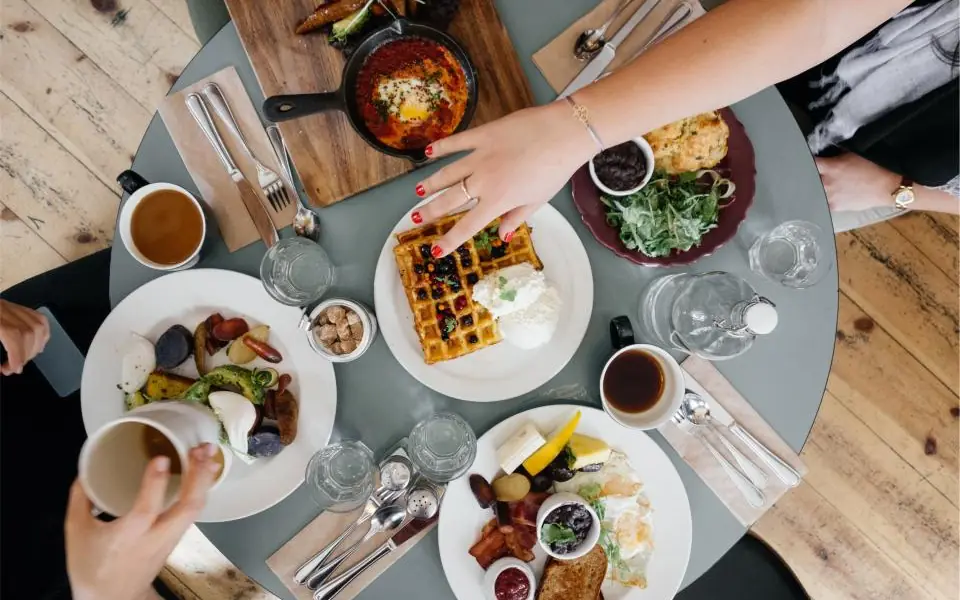
A restaurant online ordering system lets guests view the menu on the restaurant's own website or ordering page and place a delivery or pickup order. The order lands in the restaurant's panel, and payment is made by card or on delivery. It creates an alternative to food delivery platforms, and the customer relationship and data stay with the restaurant.
Why Your Own Ordering Channel Matters
Food delivery platforms are a fast way to reach a wide audience. But the commission on every order, dependence on the platform's rules and limited access to customer data push many businesses to look for alternatives. A restaurant online ordering system is that alternative.
On your own channel, customers build a relationship directly with you. You see the order history, favorite items and repeat customers. You decide the campaigns, the minimum basket amount and the delivery zone.
This does not have to mean leaving the platforms altogether. Many restaurants use platforms to find new customers and their own channel to keep regulars. The right balance depends on your location, your customer base and who provides the couriers.
Platform vs. Your Own Channel
Seeing the strengths and weaknesses of the two approaches side by side makes the decision clearer.
| Topic | Food delivery platform | Your own ordering channel |
|---|---|---|
| Reaching new customers | Strong, ready-made audience | Requires promotion work |
| Cost per order | Platform commission | Payment provider fees and operating costs |
| Customer data | Limited | Entirely with the restaurant |
| Pricing and campaigns | Bound by platform rules | Set freely |
| Deliverables | May offer a platform courier option | Your own couriers or contracted couriers |
| Brand experience | The platform's interface | Custom design for the restaurant |
The Core Parts of the System
A working online ordering channel depends on several parts working in harmony. If one is missing, the order flow breaks down.
Ordering menu
A takeout menu does not have to be an exact copy of the dine-in menu. Items that travel badly or lose their appeal once cold can be removed, and portion, packaging and add-on options added. Managing prices, photos and descriptions from the same source as the QR code menu used in the dining room saves you from keeping two separate lists up to date.
Basket and options
Guests need to be able to set preferences such as “not spicy”, “extra sauce” or “choice of drink” easily. Product options and a notes field are the digital equivalent of the questions you ask when taking an order by phone.
Payments
Taking card payments online requires a payment provider or a bank's virtual POS service (payment gateway); 3D Secure verification adds security. Cash or card on delivery can also be offered. Which methods you offer depends on whether the courier carries a POS device.
Order panel and notifications
Incoming orders must be seen instantly and with an audible alert. Statuses such as accepted, preparing, on the way and delivered let both the kitchen and the customer follow the process. Connecting to the same kitchen flow as dine-in orders removes the need for a separate tablet to monitor.
Delivery Zone and Couriers
Delivery is the link that causes the most trouble in online ordering. That is why the delivery setup should be planned before the software.
- Define your delivery zone by neighborhood or distance, and set a minimum basket amount and delivery fee for each zone.
- Calculate realistically how many orders you can deliver on time at peak hours, and have a setting that lets you pause order intake temporarily if needed.
- Be honest about estimated delivery times; after orders that never arrive, late orders draw the most complaints.
- Always offer a pickup option; it needs no courier and is fast for nearby customers.
- Choose packaging to suit the product: hot, cold and saucy items each need separate protection.
What a Takeout Website Should Look Like
A takeout website must be simple and fast. When a hungry customer meets a long landing page, mandatory registration or a complicated checkout, the order goes back to the platform. The menu should be on the first screen, the basket always visible and checkout completed in a few steps.
Because most orders are placed from a phone, the design should be built for the phone screen first. Large tap targets, readable text and fast-loading photos are the basic criteria; we explain this on our responsive design page.
Menu layout also affects order value. Principles such as highlighting profitable items, set menus and add-on suggestions are covered in our menu design article.
Guest checkout
Requiring registration on the first order increases abandonment. Letting guests order with just their name, phone and address, and offering to register afterward, makes for a smoother experience.
Promoting Your Own Channel
Your own ordering channel is useless if nobody knows about it. Promotion matters as much as building the system, and the easiest place to start is your existing customers.
- Put a card showing your own ordering address inside takeout orders that arrive through platforms or by phone.
- Mention your takeout address on the QR code menu at the table and on the receipt in the dining room.
- Point the ordering link on your Google Business Profile to your own channel.
- Share the ordering link regularly in your Instagram bio and stories.
- Offer a small treat, or a coupon valid on the next order, to first-time customers of your own channel.
Legal and Financial Matters
Because online ordering is a form of distance selling, it can bring certain legal obligations. Documents such as distance-sales and pre-contract information texts, a personal data protection notice and a cookie notice need to be prepared as required. There are also exceptions to the right of withdrawal for food products.
For card payments, the invoice or e-archive process (Turkish e-invoicing), and for payment on delivery, the receipt arrangement, should be planned from the start. Rules in these areas can change over time; check the current regulations and consult your accountant, and get legal advice for contract texts.
Which Infrastructure Should You Choose?
Your options for online ordering depend on the scale of the business. For a small business with a limited product range that offers only pickup or serves the immediate area, a simple ordering page may be enough. A multi-branch business with a large menu, or one that runs its own courier network, needs a more comprehensive setup that joins the order, kitchen and courier flows.
Restaurants, patisseries and cafes sometimes also sell products that can be shipped: dry cookies, jam, olive oil, coffee beans or gift boxes. For these, a ready e-commerce infrastructure with virtual POS, shipping and e-invoice connections is the better fit. Because hot food orders and shipped product sales work differently, the two should be planned separately.
We cover the digital flow of dine-in orders in table ordering systems and the basics of going digital with your menu in what is a QR code menu. A digital marketing plan that runs content and ads together to promote your own channel is the most important investment of the first months.
Frequently Asked Questions
01Can my own ordering channel replace the platforms?
Usually not entirely. Platforms are strong at reaching new customers, while your own channel is valuable for keeping regulars and reducing the commission burden. Many restaurants use both channels together and gradually grow the share of their own.
02Can prices on my own channel differ from the platform's?
You set the prices, but check whether your contracts with the platforms include conditions such as price parity. Offering perks like a treat, a coupon or free delivery instead of a price difference is less risky.
03Can I take online orders if I have no courier?
Yes. Pickup orders need no courier and are practical for nearby customers. For delivery, you can contract with courier services in your area, or serve a limited zone at peak hours.
04What determines the cost of an online ordering system?
The size of the menu, payment methods, delivery zone setup, number of branches, the need to integrate with kitchen and check systems, and how custom the design is are the deciding factors. Operating costs such as payment provider fees and promotion expenses come on top.
A restaurant online ordering system is the way to build an alternative to platform commissions and manage the customer relationship directly; its success depends on planning the menu, payment, delivery and promotion together. To manage your menu from one place for both dining room and ordering channels, explore our QR code menu system, and for an ordering flow tailored to your business, look at our software solutions for restaurants and tourism and get in touch.