How to Back Up Your Data: The 3-2-1 Rule
Three copies, two different media, one off-site location: we walk you step by step through the 3-2-1 rule, automatic backups for company data and your website, and restore testing.
 Aurora YazılımEditorial team
6 min read
Aurora YazılımEditorial team
6 min read
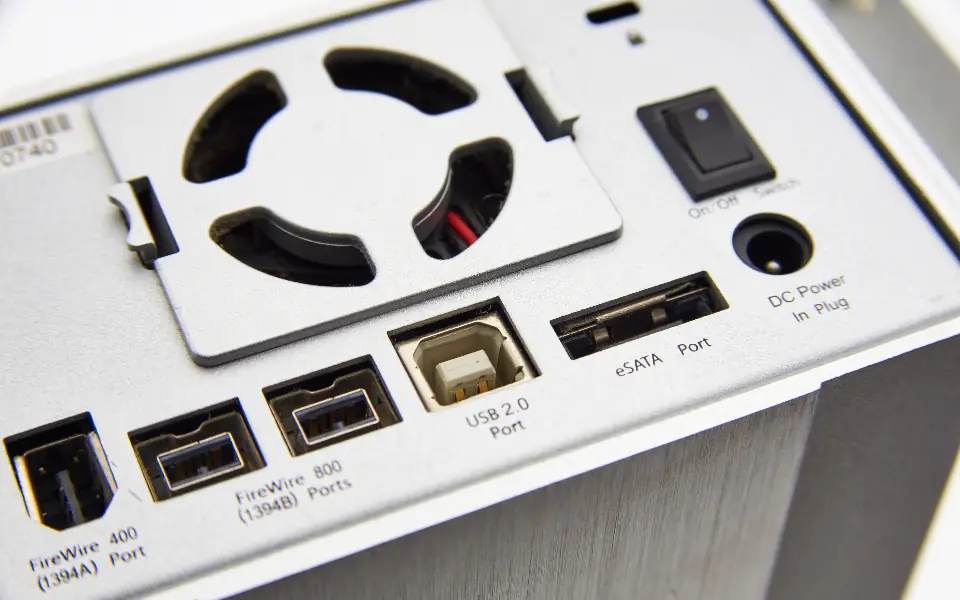
The answer to how to back up your data is the 3-2-1 rule: keep at least three copies of your data, on two different types of media, with one stored physically in another location, preferably in the cloud. Backups are made automatically, encrypted, and verified to work by running a restore test at regular intervals.
Why Backups Cannot Wait
Data loss usually strikes at an unexpected moment: a failed disk, an accidentally deleted folder, a stolen laptop, ransomware or a hacked website. In all of these cases, saving the business comes down to one question: do you have a working backup?
A backup is insurance that costs little but is very expensive to neglect. Accounting files, customer lists, quote archives, product images and the website database are assets that would take weeks to recreate, or could never be recreated.
In this guide we will set up a practical routine for company computers and websites. The goal is not a complex system but a habit that runs quietly and is checked regularly.
What Is the 3-2-1 Backup Rule?
The 3-2-1 backup rule is the most widely accepted approach to data protection. The rule is simple, but each number has a reason; it is designed so that no single failure or incident can destroy all copies at once.
| Number | Meaning | What it protects against |
|---|---|---|
| 3 copies | The original data + at least two backups | A single backup becoming corrupted |
| 2 media | For example, an external disk and a NAS or the cloud | The same type of hardware failing at the same time |
| 1 off-site location | A copy outside the office, preferably in the cloud | Fire, flood, theft |
What Should You Back Up?
Trying to back up everything slows the process down and raises the cost. The operating system and programs can be reinstalled; what really needs protecting is data that cannot be recreated.
- Accounting, invoice and contract files
- Customer, supplier and order records
- Email archives and important correspondence
- Design, product photo and brand files
- The website's files and database
- Configuration details for domain, server and service accounts
How Do You Back Up a Computer?
For office computers the most practical way is to use the operating system's own tools and an external disk or a network-attached storage (NAS) device. Adding a cloud copy on top completes the 3-2-1 setup.
Windows
On Windows, documents can be copied to an external disk regularly using the backup options in Settings or File History. For folder-based copying, the built-in robocopy command can be used.
robocopy C:\Users\Kullanici\Documents E:\Yedek\Documents /E /Z /R:2 /W:5macOS
On macOS, Time Machine makes automatic hourly backups to an external disk or a supported network disk. For most users, choosing a backup disk in System Settings is enough.
Linux
On Linux, rsync is a fast and reliable option because it transfers only the files that have changed. An external disk or a remote backup server can be used as the destination.
rsync -avz /home/kullanici/belgeler/ yedek@yedek-sunucu:/yedekler/belgeler/How Do You Back Up a Website?
A website backup has two parts: the files (code, images, uploaded documents) and the database (products, orders, members, content). Backing up only one means an incomplete site at restore time.
The automatic backups offered by your hosting company are a good start but not enough on their own, because these backups are mostly kept on the same infrastructure as the site. Always store one copy with a different provider. If you plan to move the site to another server, our website hosting migration guide explains how to proceed with the same backups.
mysqldump -u kullanici -p --single-transaction veritabani_adi > db-yedek.sql
tar -czf site-dosyalari.tar.gz /var/www/site
Frequency for E-Commerce Sites
On a site that takes orders, the database changes every day. A weekly backup means the risk of losing a week of orders. On an e-commerce platform with heavy order volume, a database backup at least daily is recommended.
Setting Up Automatic Backups
A backup made by hand is a backup that gets forgotten. Automatic backup removes human error. On Linux servers this is usually scheduled with cron; on Windows, Task Scheduler does the same job.
Once automation is in place, you need to monitor two things: that the backup is actually being created and that disk space is not filling up. A simple check that sends an email alert on a failed backup prevents systems from silently breaking. For websites, this monitoring can also be carried out as a natural part of the regular maintenance under speed and performance management.
- Set a retention period: for example, copies from the last 7 days, 4 weeks and a few months
- Encrypt backups that go to the cloud or an off-site disk
- Keep the passwords of backup accounts separate from the main system
0 3 * * * /usr/local/bin/yedekle.sh >> /var/log/yedekle.log 2>&1A Sample Backup Plan
To make the theory concrete, picture a ten-person office and a website that takes orders. The plan collects the number of copies, the medium, the frequency and the person responsible for each data type in a single table. Once this table is written down, a new employee or an outside support team can take over the system easily.
When setting the frequencies in the plan, ask yourself: how much data loss can I afford? If re-entering a day's orders is possible, a daily backup is enough; if not, hourly or continuous backup is needed. Likewise, how many hours your business can stand still shapes your expectations for restore speed.
| Data | 1st copy | 2nd copy (off-site) | Frequency |
|---|---|---|---|
| Office documents | NAS device | Encrypted cloud storage | Daily |
| Accounting data | External disk (offline) | Encrypted cloud storage | Daily |
| Site database | Automatic backup on the server | Storage with a different provider | Daily or more often |
| Site files | Automatic backup on the server | Storage with a different provider | Weekly and before every update |
| The provider's archive | A separate archive or export | Monthly |
A Restore Test Is a Must
A backup that has never been restored is only a hope. A corrupted archive, a missing table or the wrong folder only comes to light when a restore is attempted. That is why, at regular intervals, open a backup in a test environment and verify that the site or files work without problems.
The test is also a stopwatch: if you know how long a restore takes, you can tell when the business will be back on its feet in a crisis. For the cleanup process after an attack, our website hacked article explains in detail why a backup is a lifesaver at such moments.
mysql -u kullanici -p test_veritabani < db-yedek.sqlCommon Backup Mistakes
To understand options such as version history and immutable copies offered by cloud storage, see our what is cloud computing article.
- Mistaking sync for backup: a file deleted in a synced folder is deleted everywhere
- Leaving the backup disk plugged into the computer all the time; ransomware reaches it too
- Relying only on the hosting company's backup
- Forgetting the database and backing up only the files
- Never testing the backup and storing it unencrypted
Frequently Asked Questions
01How long should backups be kept?
It depends on the nature of the business. Given that a mistake or an attack may be noticed days later, it is safer to keep not just the latest copy but copies going back several weeks. For documents with a legal retention period, follow your accountant's advice.
02Does cloud storage count as a backup on its own?
On its own it does not satisfy the 3-2-1 rule. Also, a folder that only syncs can carry a deleted or encrypted file to the cloud as well; you need to choose a service with version history and keep an additional local copy.
03Who should take charge of backups?
The task must be assigned in writing to one person or a service provider. A job that everyone is responsible for is usually a job nobody does; the state of the backups should also be reported regularly.
When the 3-2-1 rule, automation and regular restore tests come together, data loss stops being a disaster and becomes a manageable disruption. Aurora Yazılım plans your site's monitoring and maintenance routine together as part of speed and performance management, and addresses the backup routine from the start in business-specific software solutions. For your corporate website project or your existing site, get in touch.