Augmented Reality and Spatial Computing
We explain what augmented reality and spatial computing are, the new experiences they create in shopping, tourism and promotion, and where businesses can start.
 Aurora YazılımEditorial team
6 min read
Aurora YazılımEditorial team
6 min read
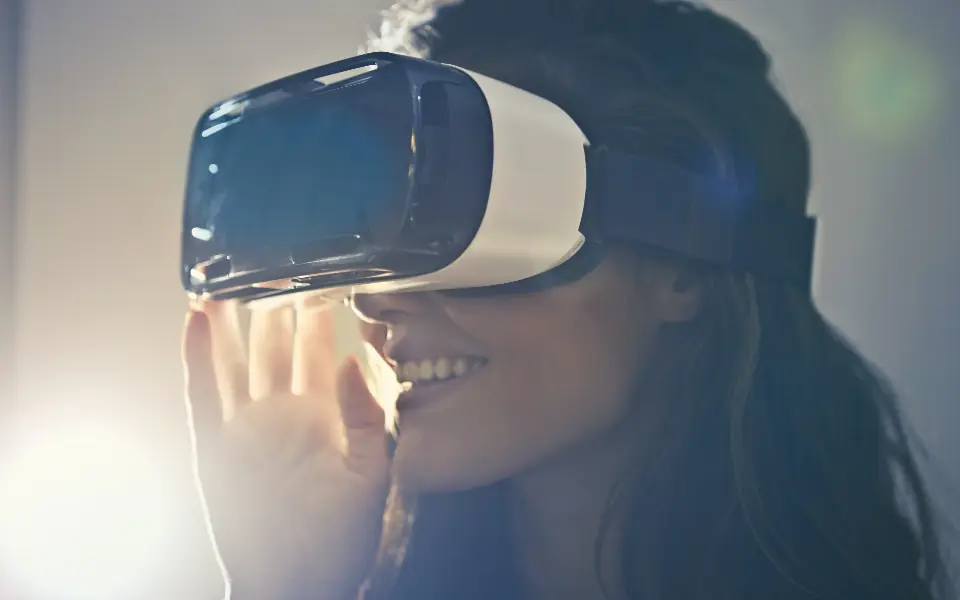
The answer to what augmented reality is: AR is technology that places digital objects, information and animation over the real world seen through a camera. Unlike virtual reality, it does not cut you off from your real surroundings. Seeing a sofa in your living room on your phone, or holding it up to a sign to read a translation, are typical AR experiences.
What Is Augmented Reality?
Augmented reality (AR) adds computer-generated layers to the environment you see through a device's camera. This layer can be a three-dimensional product model, a direction arrow, a price tag or a face filter. What matters is that the digital object is positioned in the same space as the real environment.
The first everyday examples of AR are actually things most of us know: social media face filters, phone measuring apps, apps that translate text when you hold up the camera. They show that the technology runs on the phone in our pocket, without glasses or special devices.
The simplest answer to what AR is: an image layer that enriches reality without changing it. For businesses, what this layer means is that customers can see a product in their own context before deciding.
AR vs VR vs Mixed Reality
The terms in this field are often confused. The basic difference is how much of the real world the user sees.
| Technology | What the user sees | Typical device |
|---|---|---|
| Augmented reality (AR) | Real environment + a digital layer on top | Phone, tablet, AR glasses |
| Virtual reality (VR) | A fully digital environment | Enclosed VR headset |
| Mixed reality (MR) | Digital objects that interact with the real environment | Headsets with cameras, advanced glasses |
What is spatial computing?
Spatial computing is a broader concept that covers all of these technologies. It means computing that works not only on a screen but in the three-dimensional space around you: the device senses the room, surfaces, hand gestures and gaze direction, and applications settle into that space.
The rise of the term spatial computing expresses the idea of moving computing from the flat screen into space. Today most of these experiences still happen on the phone; headsets and glasses reach a more limited audience.
How Does AR Work Technically?
An AR app's job is to understand the image from the camera and anchor the digital object in the right place. Several components work together to do this:
- Environment sensing: The camera and motion sensors recognize the floor, walls and flat surfaces such as tables.
- Position tracking: As the device moves, position and angle are continuously calculated so the object stays in place.
- Light estimation: The shadow and brightness of the digital object are adjusted to the ambient light so it looks more realistic.
- 3D model: The displayed product is a three-dimensional model prepared in a common format such as glTF or USDZ.
App or web?
An AR experience can run inside a mobile app or directly in the browser. The phone operating systems' own AR frameworks offer powerful capabilities on the app side. Web-based AR removes the barrier of downloading an app: a customer who taps a button on the product page sees the model directly in their own room. Because browser support varies by device, web AR experiences should always offer a fallback view, such as a rotatable 3D view.
How Is AR Changing Shopping?
The biggest question in online shopping is “How will this look on me or in my home?” AR shopping answers exactly that. For furniture, lighting, rugs and decor, customers can place the product in their own space at its true size; for glasses, watches or makeup, virtual try-on is possible.
The value of this experience is that it reduces hesitation. A customer who is sure about size and appearance decides more easily, and the gap between expectation and product shrinks. But AR does not replace a good product page; clear photos, correct dimensions and clear return information are still the foundation. That is why quality product photography and 3D models complement each other.
Before considering AR on an e-commerce site, you need to ask: do your product's size, color or posture really influence the customer's decision? If they do, AR is a meaningful investment; if they do not, first improve page speed, the checkout flow and product information.
AR in Tourism and Promotion
Tourism is one of AR's natural fields of use. Guides that overlay a structure's original form on ruins in ancient cities, narration that opens when you hold a camera up to an exhibit in museums, and layers that give directions on city walks are examples.
On the accommodation side, virtual tours and 360-degree images let guests see the room and the property before booking. For this content to work, the booking flow must also be smooth; the visual experience makes sense when combined with strong hotel software and a fast booking page.
In promotion and events, AR is used as animations that bring packaging to life, models that show a product's internal structure at a trade show stand, or videos that open from a brochure. In this kind of work, content production matters as much as the idea: planning the model, animation and video with a creative production team directly affects the quality of the experience.
What to Watch for in Design
User experience in AR differs from on-screen experience. The user holds the phone, walks around, and light and space conditions keep changing. A good experience manages this uncertainty. In terms of UI/UX design, the core principles are:
- Short guidance: A one-sentence hint telling the user to slowly move the phone toward the floor is enough.
- Fast loading: Keep the 3D model's file size small; a long wait ends the experience before it starts.
- Accessible alternative: On devices that do not support AR, offer a rotatable 3D view or a photo gallery.
- Privacy clarity: State clearly why camera permission is requested and whether the image is stored.
- Conversion to purchase: At the end of the experience, the add-to-cart or booking button should be easy to reach.
Where Should Businesses Start?
You do not need a big budget or special devices to start with AR. The healthiest path is a small pilot with a single product group or a single promotion scenario. The pilot's success is measured by usage rate and customer feedback.
The main factors affecting cost are the number and level of detail of 3D models, whether the experience is web or app, the need to integrate with your existing site and how often the content will be updated. For businesses whose catalog changes often, being able to add models from the admin panel is an important gain.
AR should be considered not as a goal on its own but as part of a broader digital transformation plan. First the core processes move to digital, then layers that enrich the experience are added.
The Future of Spatial Computing
As glasses and headsets get lighter, battery life improves and prices fall, spatial computing is expected to reach wider audiences. However, it would not be right to give an exact date for the pace of this change; adoption depends on how comfortable the devices are for everyday use.
The realistic picture today is this: most AR experiences happen on the phone and can be delivered over the web. Among our other articles on future technologies, our What is a quantum computer guide likewise offers a realistic framework free of hype.
Frequently Asked Questions
01Does a customer need to download an app for an AR experience?
Not necessarily. Web-based AR runs directly in the browser on supporting phones. For more complex interactions and scenarios that need continuous use, a mobile app may be more suitable.
02Which products make the most sense for AR?
Products whose size, color or look in a space affects the buying decision: furniture, lighting, decor, appliances, glasses and accessories. For products with standard dimensions where appearance does not matter, the contribution is limited.
03Does AR slow down the site?
Not if it is set up properly. The 3D model should load only when the user taps the AR button, and its file size should be optimized. Loading heavy models when the page first opens hurts both speed and user experience.
Augmented reality creates real value when it shows the customer a product or a space in their own context; the rest is just show. If you want to design a meaningful AR or 3D experience for your product and fit it naturally into your site's flow, explore Aurora's UI/UX design service.